

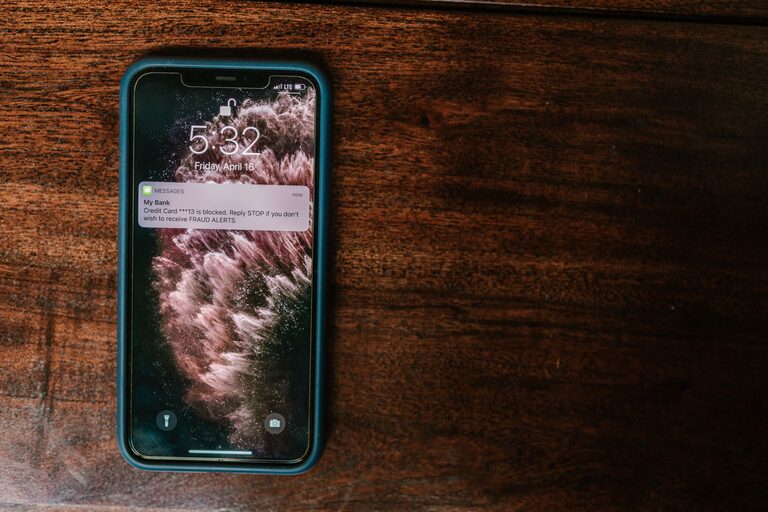
In today’s digital world, notifications play a significant role in keeping us connected, informed, and engaged. However, when notifications become overwhelming, they can disrupt focus, increase stress, and reduce productivity. Setting boundaries with notifications is essential to regain control over your time and mental space. This blog post explores practical tips to help you manage your notifications effectively and create a healthier relationship with your devices.
Why Setting Boundaries with Notifications Matters
Notifications are designed to capture your attention immediately. While some alerts are important, many are repetitive, irrelevant, or not urgent. Constant interruptions can lead to:
– Reduced concentration
– Increased stress and anxiety
– Inefficient use of time
– Poor sleep quality (due to late-night alerts)
By setting boundaries, you can reduce distractions, focus better on your tasks, and enjoy more meaningful offline time.
Tips for Setting Boundaries with Notifications
1. Audit Your Notifications Regularly
Start by reviewing the types of notifications you receive. Go through your apps, email accounts, and device settings to identify which alerts are necessary and which can be disabled or minimized.
– Disable notifications from apps that are not vital.
– Turn off non-urgent social media alerts.
– Limit email notifications to only important senders or folders.
2. Customize Notification Settings
Most devices offer customizable notification options for each app. Use these settings to control how and when you receive alerts.
– Choose silent or banner notifications instead of sounds or vibrations for less critical apps.
– Set alerts to appear only in notification centers, not as pop-ups.
– Group notifications to reduce clutter and prevent multiple alerts for similar messages.
3. Use Do Not Disturb and Focus Modes
Take advantage of built-in features like Do Not Disturb (DND) or Focus modes available on smartphones and computers.
– Schedule DND during work hours, meetings, or sleep time.
– Allow calls or notifications only from specific contacts or apps when necessary.
– Use Focus modes to create tailored notification settings for different activities (e.g., work, personal time, sleep).
4. Set Specific “Notification-Free” Times
Create designated periods during the day when you avoid all non-essential notifications.
– Try a notification-free hour mid-morning or afternoon to boost deep work.
– Avoid notifications during meals, family time, or relaxation periods.
– Consider turning off notifications an hour before bedtime to improve sleep quality.
5. Manage App Notification Permissions
Some apps send push notifications even if you don’t actively use them. Review app permissions regularly.
– Remove or restrict notification permissions for apps that don’t require immediate alerts.
– Delete apps that are no longer useful or contribute to notification overload.
6. Use Email Filters and Notification Rules
Email can be a major source of constant alerts. Use filtering and rules to prioritize important messages.
– Create filters to direct newsletters or promotional emails to separate folders.
– Set notifications only for emails marked as high priority or from specific contacts.
– Consider checking email manually at set times instead of relying on notifications.
7. Communicate Your Boundaries
If you work with a team or have family members who frequently contact you, let them know about your notification boundaries.
– Inform colleagues about your preferred communication times.
– Use status messages or email auto-responders to explain when you’ll respond.
– Encourage use of project management tools or scheduled meetings instead of instant messaging for non-urgent matters.
8. Use Third-Party Apps Wisely
There are apps and tools designed to help manage notifications and digital distractions.
– Explore apps that block distracting notifications during focused work periods.
– Use apps that summarize notifications and let you review them all at once.
– Be cautious not to add more apps that could generate additional notifications.
Benefits of Healthy Notification Boundaries
By taking control of your notification settings, you can experience:
– Enhanced focus and productivity
– Reduced stress and mental clutter
– Better work-life balance
– Improved sleep and overall well-being
Final Thoughts
Setting boundaries with notifications is an ongoing process that requires awareness and adjustment. Start small by disabling unnecessary alerts and gradually incorporate more strategies that fit your lifestyle. Remember, technology should serve you—not control your attention. With mindful practices, you can enjoy the benefits of staying connected without being overwhelmed.
Try implementing one or two of these tips today and notice how your daily routine improves with fewer interruptions!